Operator-Focused
Interfaces are organized around the decisions and actions a real user needs to complete.
CUSTOM SECURITY TOOLS • WINDOWS APPLICATIONS • AUTOMATION SOLUTIONS
RKJ Consulting designs and develops focused Windows applications for organizations and professionals who need practical tools, controlled local workflows, and clear operational results. Our work combines cybersecurity experience with disciplined software engineering to turn complex requirements into usable desktop solutions.
01
OUR APPROACH
Security software is most useful when it supports the way people actually work. RKJ Consulting develops applications around defined operator needs: reviewing suspicious activity, protecting credentials, understanding infrastructure, hardening systems, preserving evidence, automating repetitive tasks, and documenting response actions. The objective is not to add complexity. It is to give the user a clear path from a security question to an informed action.
Our applications emphasize local desktop execution, explicit operator control, responsive interfaces, long-running background tasks that do not interrupt the user experience, structured configuration, and exportable results. Documentation, privacy information, licensing, support access, and reporting are treated as part of the product—not as afterthoughts added after development is complete.
Interfaces are organized around the decisions and actions a real user needs to complete.
Desktop workflows keep users close to their data, settings, logs, and evidence.
Reports, certificates, timelines, logs, and exports turn activity into usable records.
Standalone applications can remain resilient while sharing conventions and integration paths.
02
FEATURED SOFTWARE PORTFOLIO
The CyberDefender Security Suite demonstrates the breadth of RKJ Consulting’s development capabilities through eleven working Windows security applications. Each application solves a defined problem as a standalone tool, while the portfolio supports a broader defensive workflow spanning intelligence, prevention, detection, active defense, response, documentation, and evidence preservation.
Collect security news, indicators, reputation data, and external context.
Protect credentials, harden systems, sanitize data, and reduce exposure.
Inspect suspicious links, files, endpoint activity, and unknown infrastructure.
Watch live attack behavior and respond across network, web, password, and AD surfaces.
Quarantine, isolate, investigate, organize incidents, and track actions.
Preserve logs, reports, certificates, timelines, standards, and exportable records.
The suite is strongest when understood as one connected operating model rather than eleven unrelated utilities. Security News Scraper gathers external signals. Anti-Phishing and AntiVirus Pro evaluate threats. Infrastructure Guard reveals the network. Fortify measures platform hardening. Password Manager protects credentials. Data Sanitizer handles sensitive information. CyberDefender Hidden Image supports hidden and encrypted data workflows. Notifier schedules checks and captures results. IronWall adds real-time active defense. Incident Response converts activity into structured case records.
03
ELEVEN SPECIALIZED APPLICATIONS
01
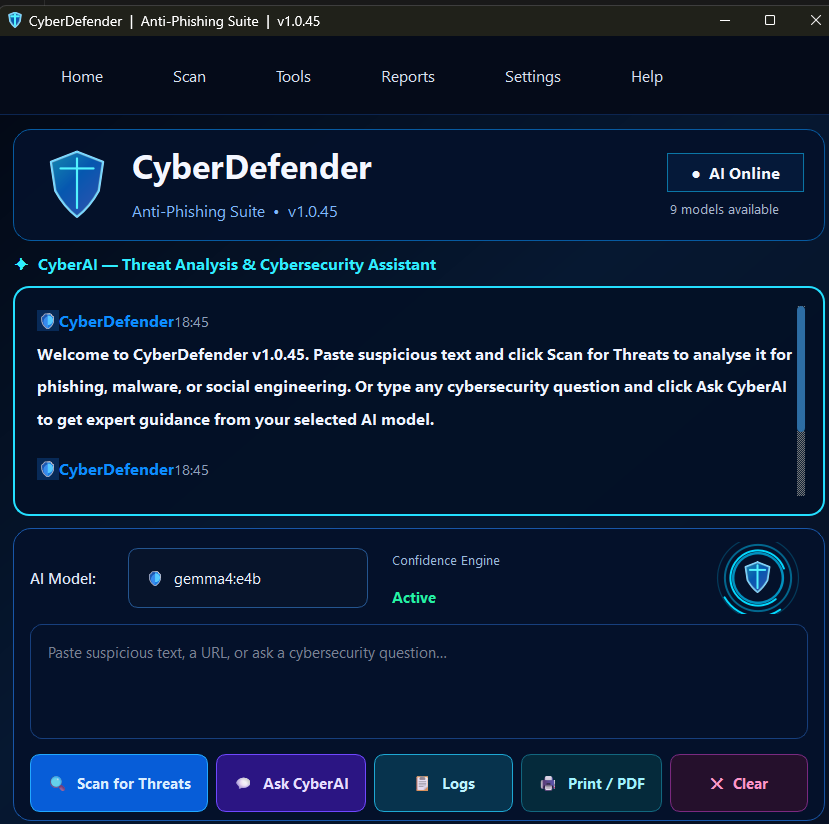
Stops link-based attacks before they become credential theft, malware delivery, or business email compromise.
A focused phishing-defense application for checking suspicious links and files through local heuristics, optional reputation enrichment, model-assisted review, training workflows, scan logs, and threat-feed input. It gives operators a repeatable way to inspect risky content, record verdicts, and create evidence without relying on an unstructured browser-only process.
02
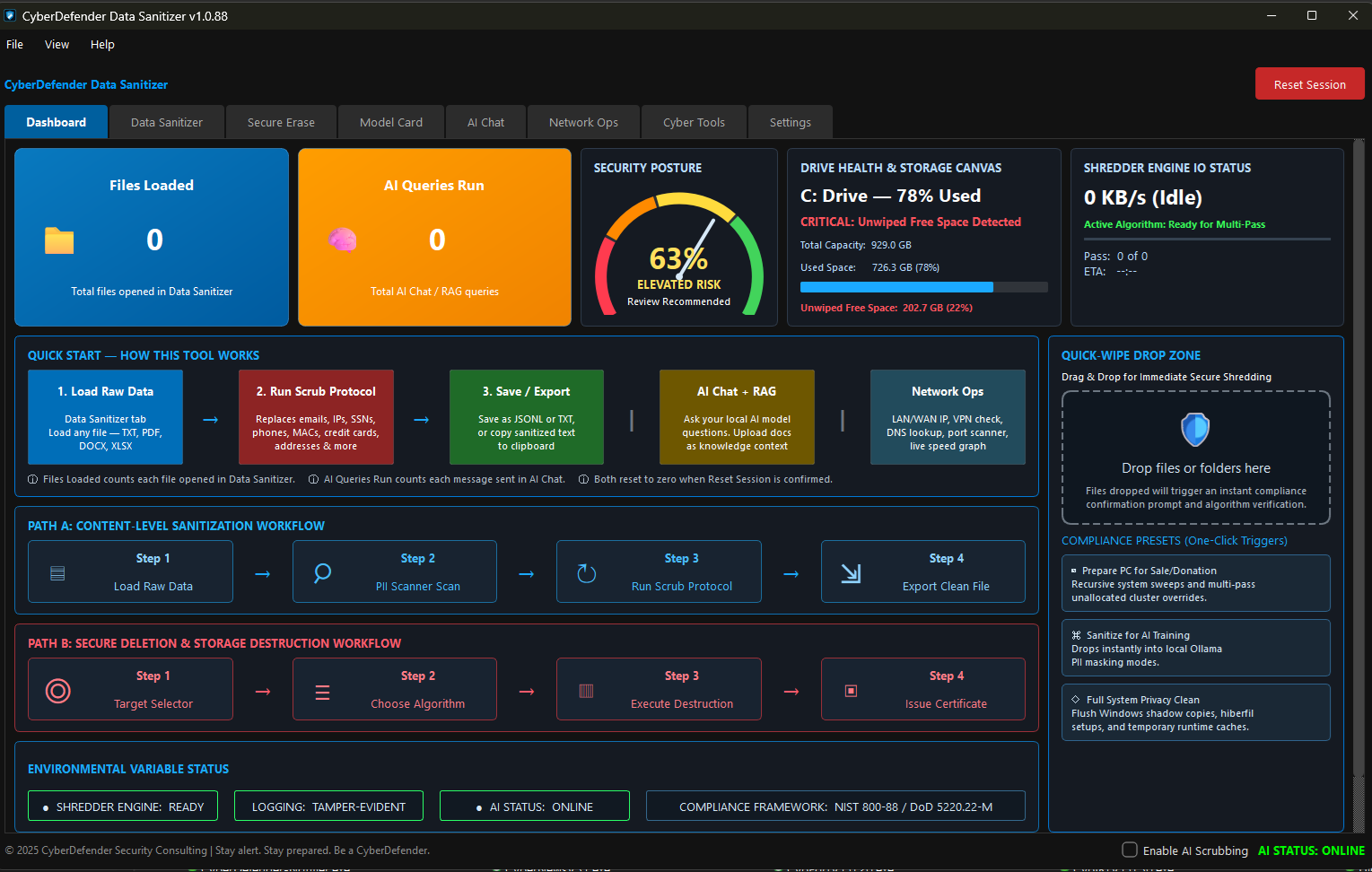
Turns sensitive-data cleanup into a structured, defensible workflow.
Data Sanitizer combines data scrubbing, secure deletion, privacy cleanup, certificates, model-card documentation, supporting cyber utilities, and operator reporting. It is designed for situations where deleting information is not enough—the user also needs a controlled process and a usable record showing what was selected, what action was taken, and what result was produced.
03
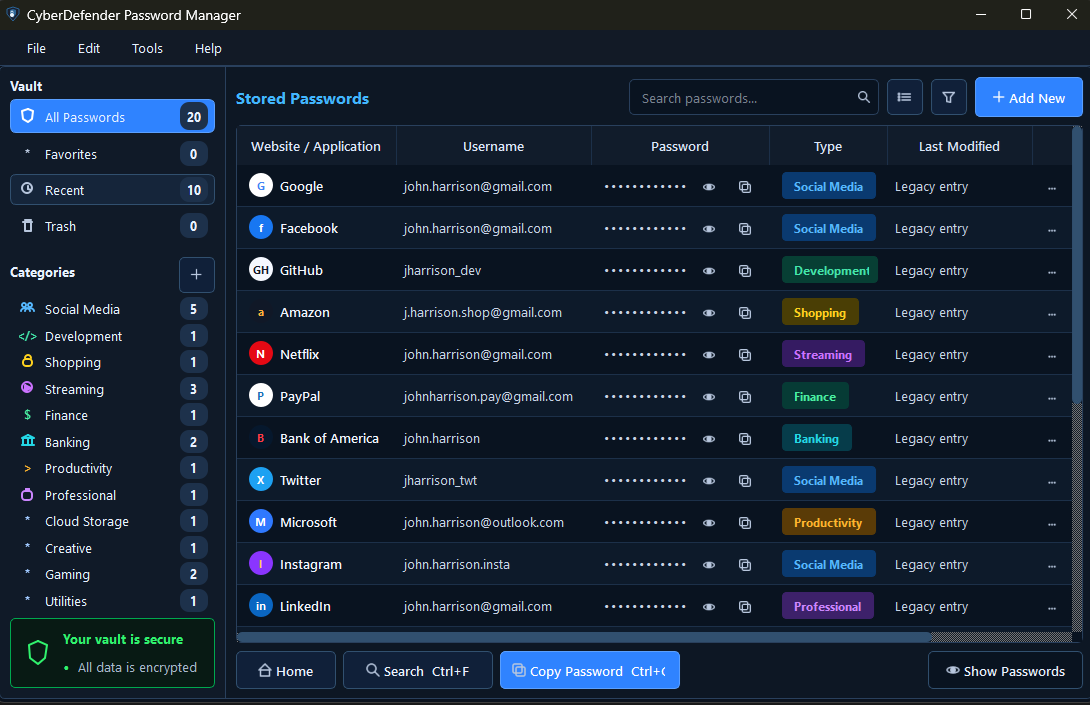
Protects credentials through a locally controlled vault and disciplined access workflow.
Password Manager supports credential storage, secure generation, searching, review, backup, restore, document handling, lock controls, multifactor authentication, recovery codes, and security-key workflows. The application brings passwords and protected records into one managed desktop environment instead of leaving sensitive information scattered across browsers, exports, documents, and reused weak credentials.
04
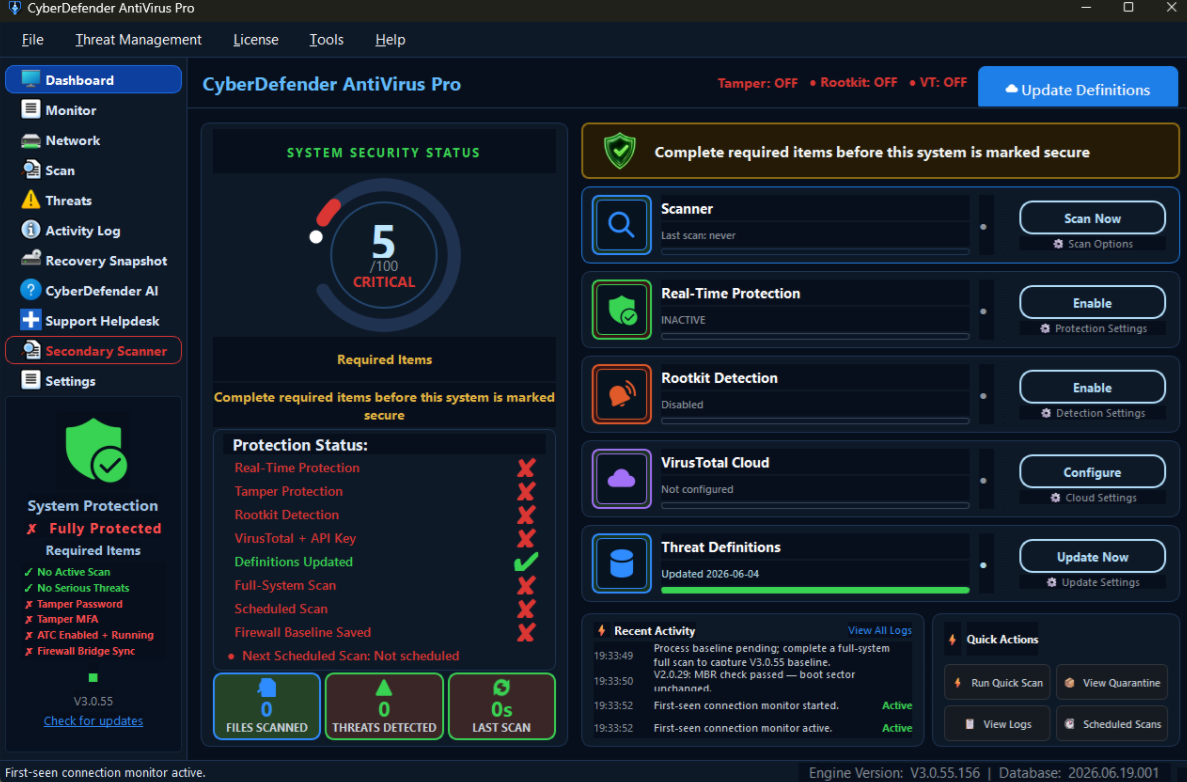
Anchors the suite with endpoint scanning, monitoring, containment, and security evidence.
AntiVirus Pro provides the central endpoint-security surface for the suite. Its workflows include manual and scheduled scanning, real-time file watching, quarantine, ransomware indicators, persistence monitoring, process baselines, connection review, firewall integration, exclusions, reputation services, traffic controls, and tamper-aware settings. The design helps operators detect, isolate, review, and document suspicious endpoint activity.
05
Provides controlled tools for hidden data, encryption, privacy, and authorized investigation.
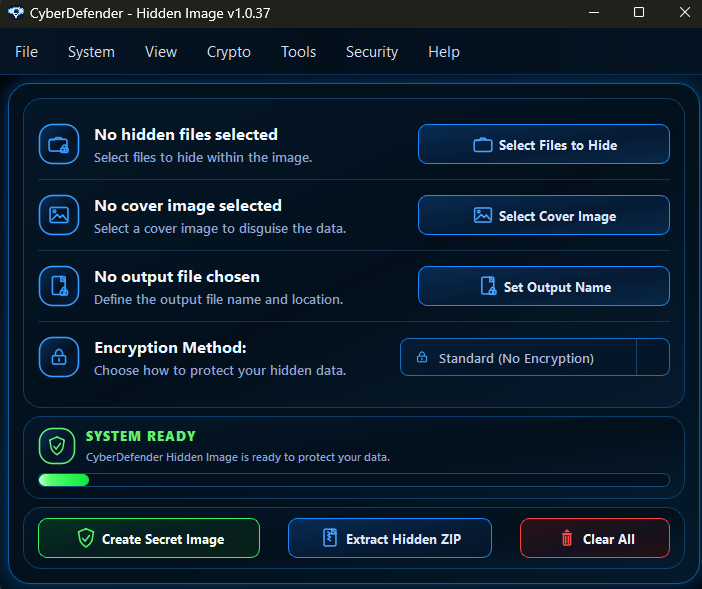
CyberDefender Hidden Image supports image and text steganography, hidden ZIP extraction, emoji and zero-width encoding, encrypted file handling, hidden folders, honeypot monitoring, master-password protection, and one-time-password provisioning. It gives authorized users one organized environment for concealment, discovery, encrypted transport, privacy operations, and investigation of hidden payloads.
06
Maps infrastructure, identifies risky devices, and turns network visibility into action.
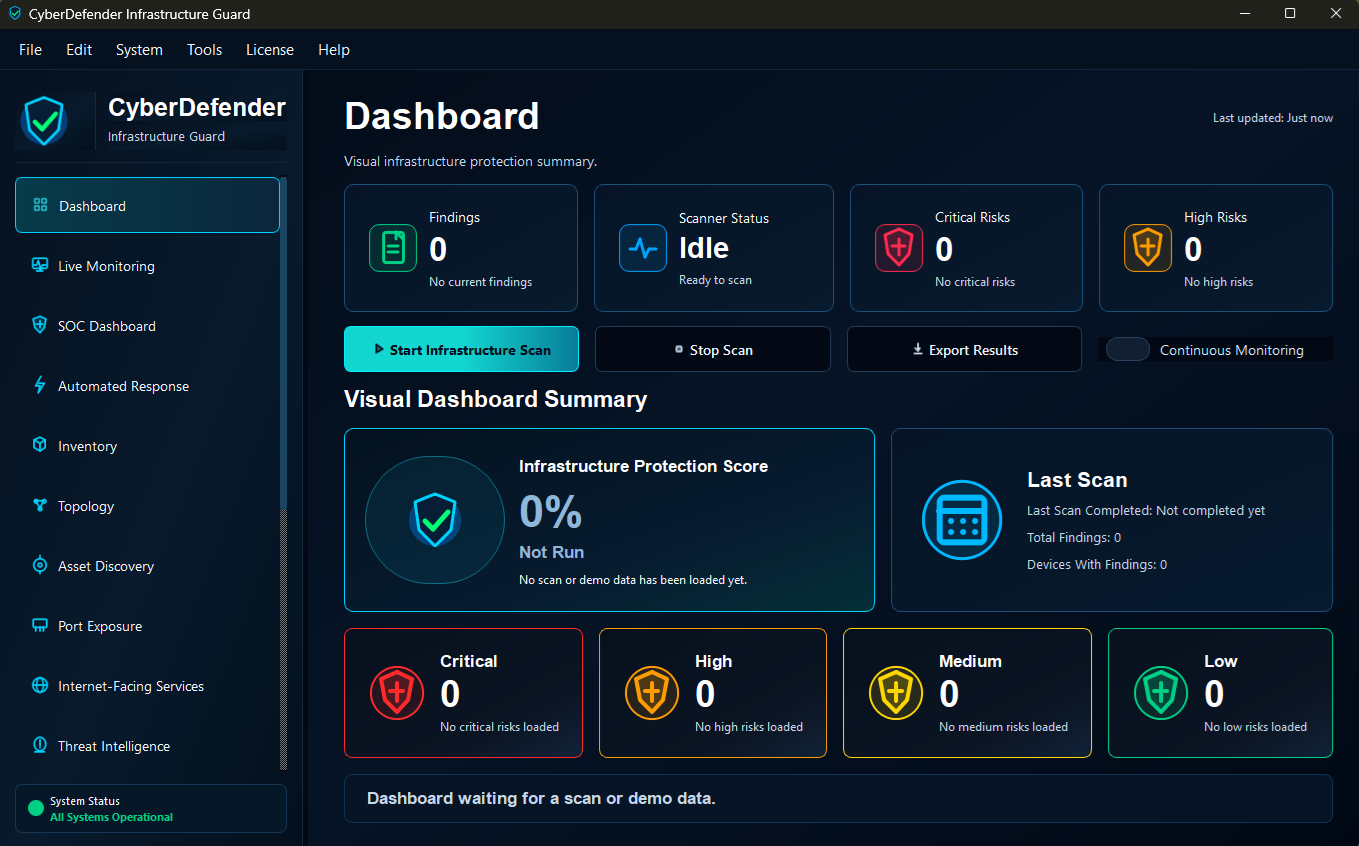
Infrastructure Guard scans network environments, displays discovered assets, visualizes topology, preserves asset labels and criticality, exports findings, and provides response controls. Operators can distinguish known, unknown, critical, or suspicious systems and move from discovery to isolation, quarantine, automated response, or lockdown when the situation requires more than passive monitoring.
07
Schedules operational checks and preserves returned results as evidence.
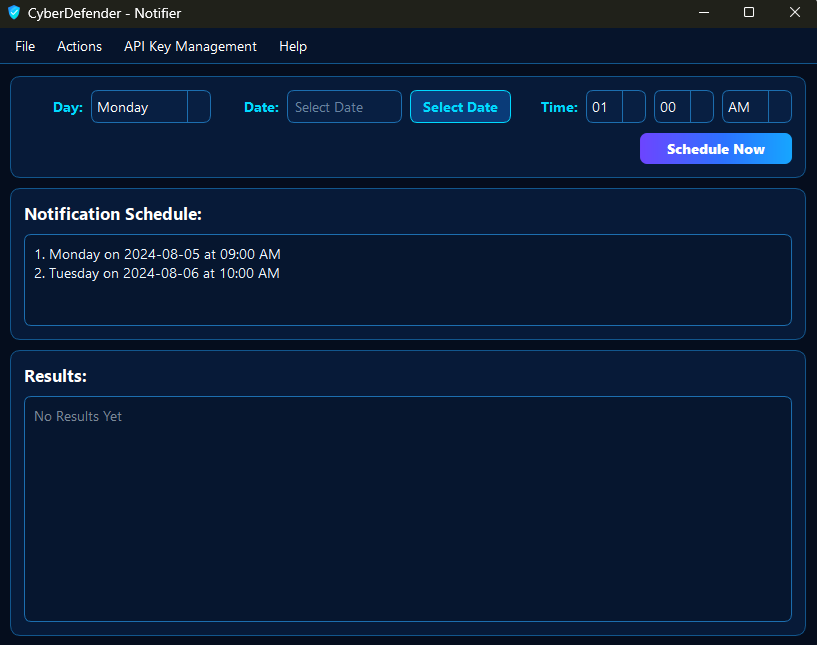
Notifier is a compact desktop utility for selecting schedule details, managing API keys or endpoint information, running notification checks, displaying returned output, and exporting or printing results. It replaces scattered browser tabs, screenshots, and informal notes with a consistent schedule-and-results workflow that can support recurring operational checks and future service integrations.
08
Turns cybersecurity news into searchable, exportable threat intelligence.
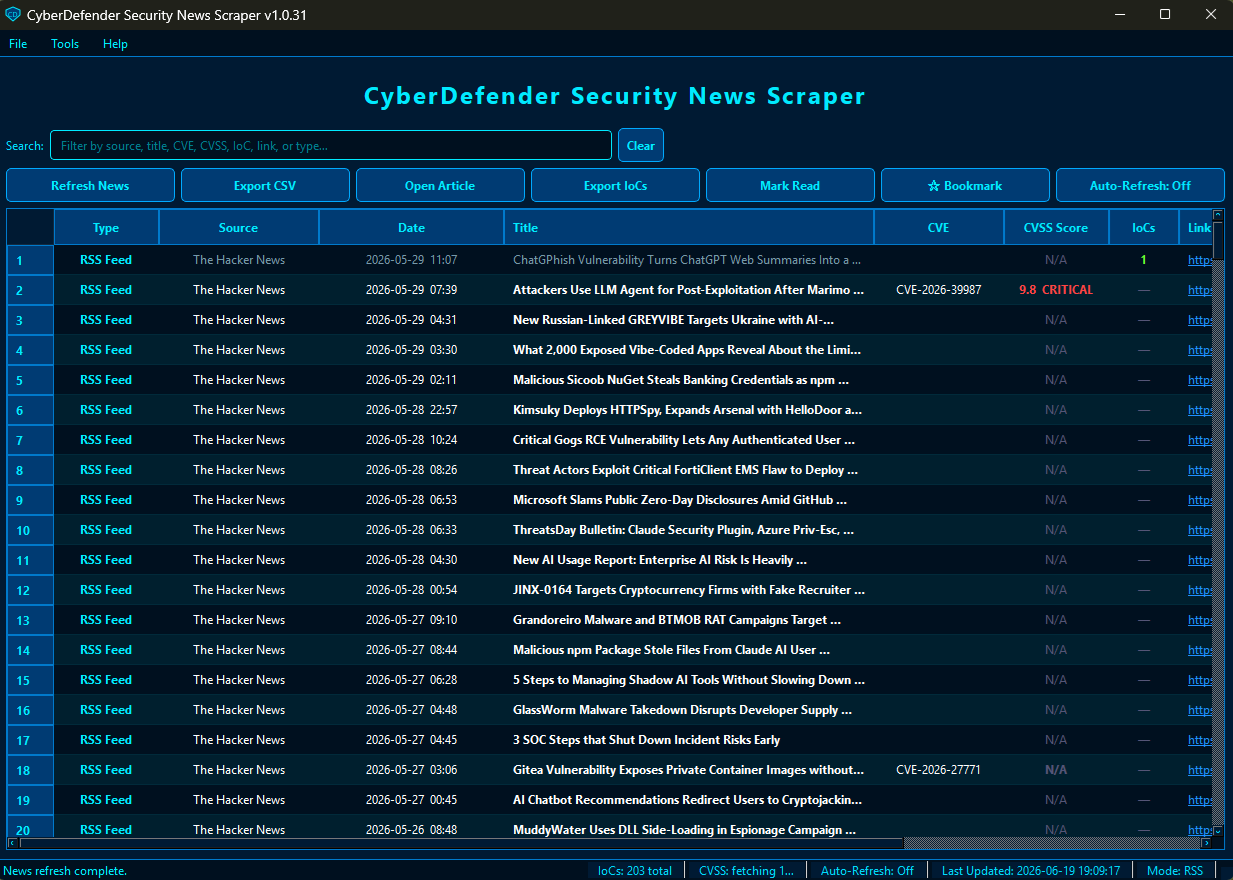
Security News Scraper collects articles through RSS and web-scraping workflows, stores and organizes article data, retrieves vulnerability context, tracks bookmarks and read state, sends notifications, and extracts indicators of compromise. Those indicators can be exported into other CyberDefender tools, converting security news from passive reading material into information that supports detection and investigation.
09
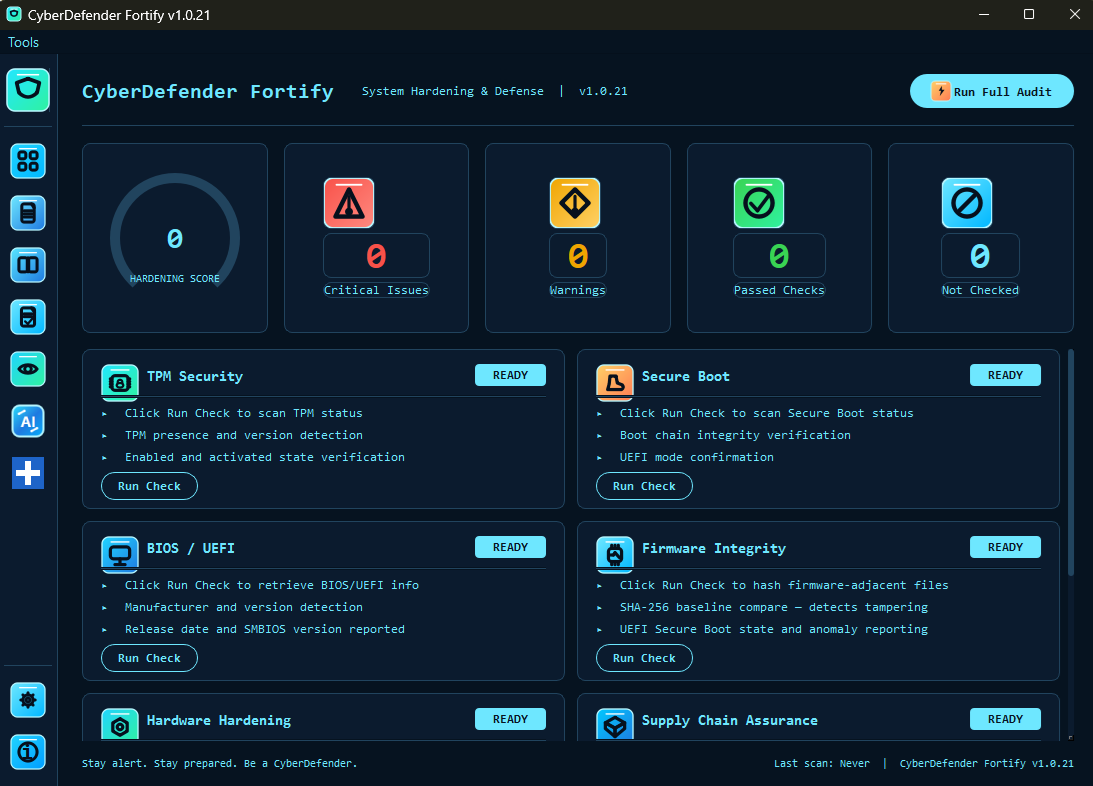
Shows whether a Windows workstation is hardened before weak configuration becomes an incident.
Fortify evaluates platform posture across Secure Boot, TPM, firmware, operating-system integrity, hardware hardening, boot-loader defense, driver signing, and supply-chain considerations. Individual checks and full audits produce clear results and score-based summaries, helping users understand where a system stands and where configuration improvements should be prioritized.
10
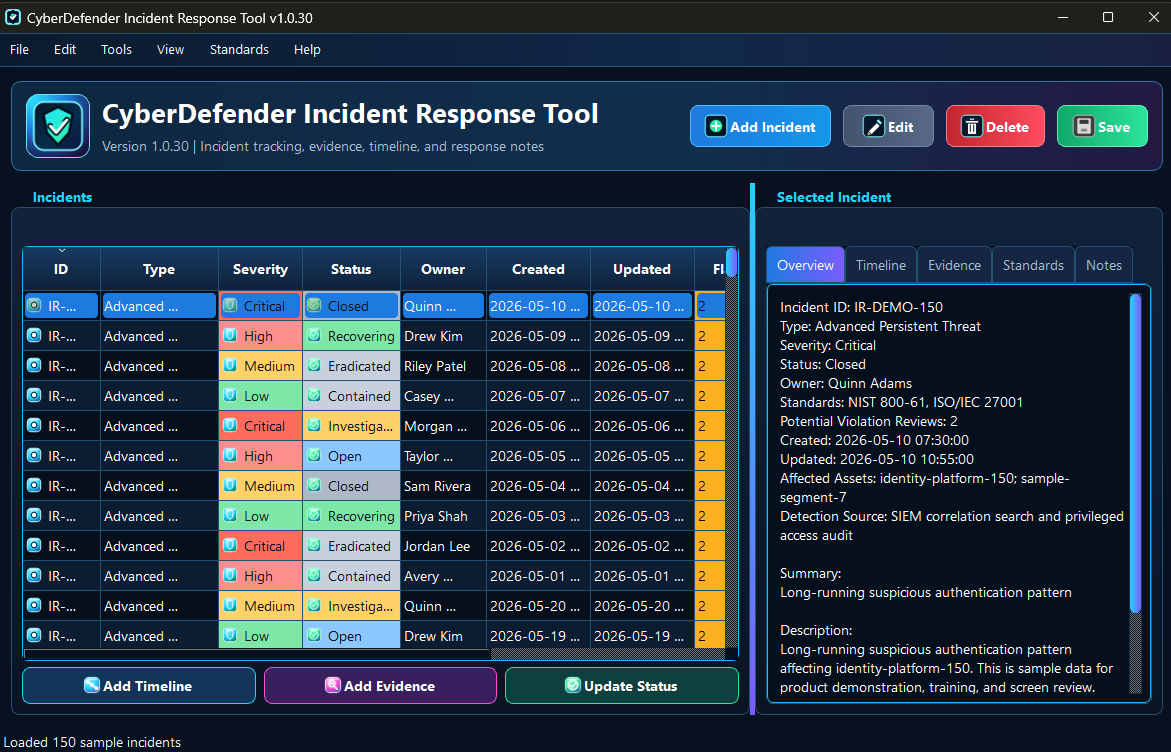
Turns security events into organized response records and exportable case documentation.
The Incident Response Tool supports creating and maintaining incident records, evidence attachments, timelines, status updates, notes, standards mapping, and reports. Detection alone does not explain what happened or what was done. This application gives small teams a structured place to preserve the sequence of events, collected evidence, response decisions, and applicable guidance.
11
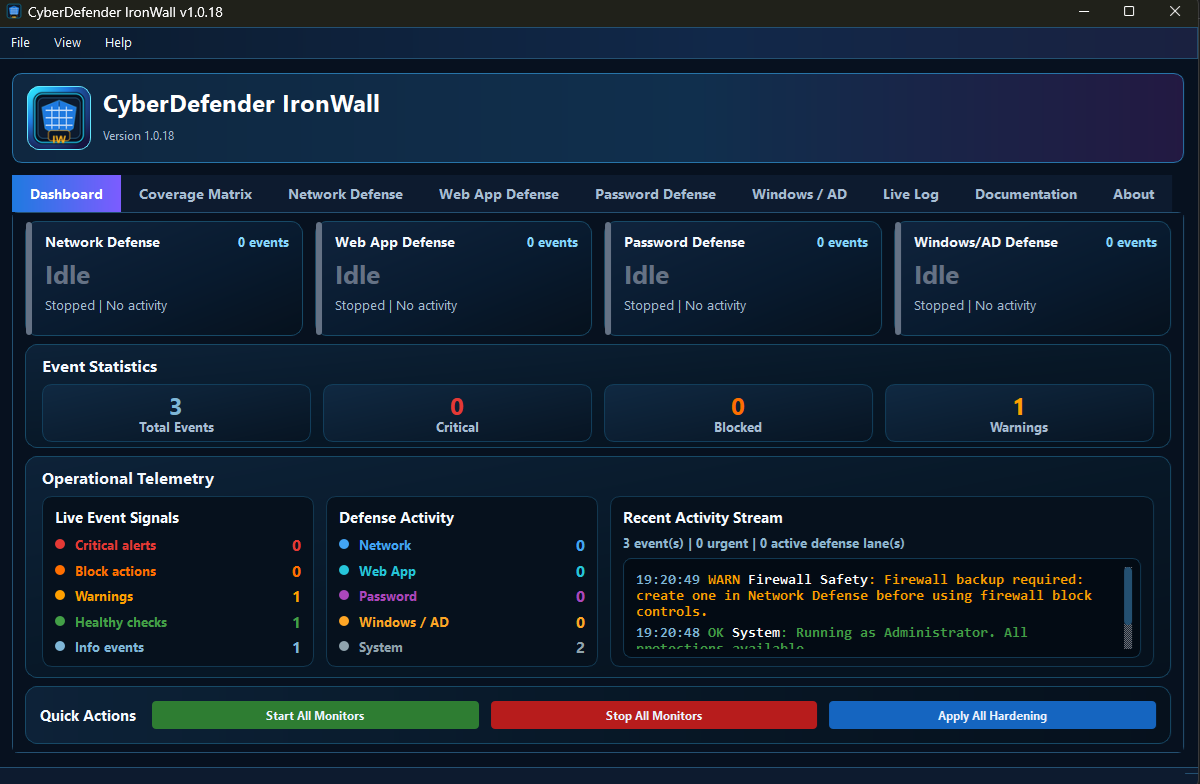
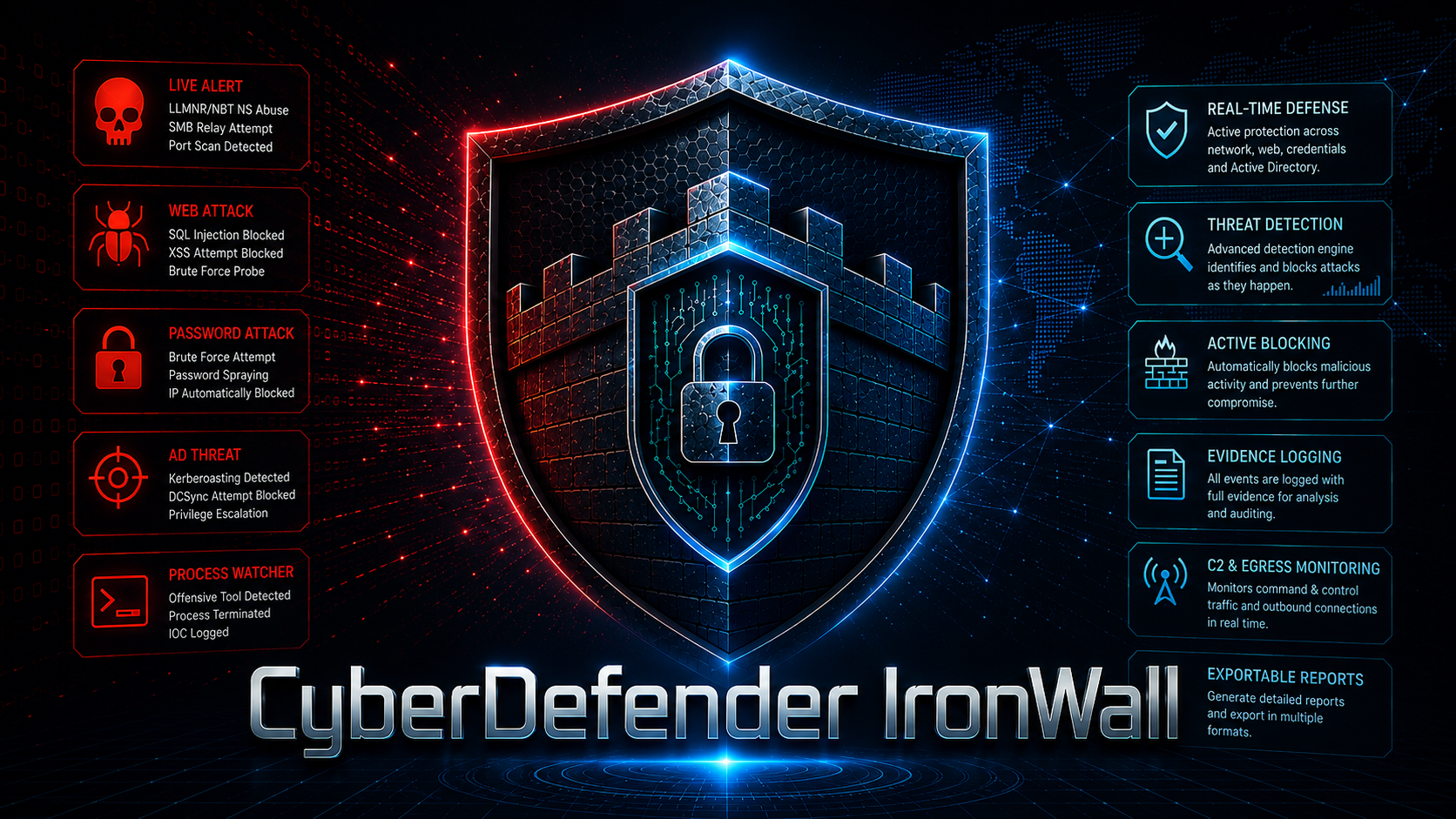
Adds a real-time active-defense layer across network, web, password, and Windows/AD attack surfaces.
IronWall watches for behavior associated with scanners, password attacks, relay activity, web-application probes, Active Directory reconnaissance, exploitation tools, and related offensive techniques. Its dashboards, coverage matrix, category-specific defense views, live event log, alerts, response actions, and safe simulation mode help operators understand what is being monitored and verify that detection wiring is functioning.
04
ENGINEERING FOUNDATION
The eleven applications share a consistent engineering posture: local desktop execution, versioned releases, responsive interfaces, worker-based processing for longer operations, structured local state, operator-first controls, and exportable evidence. Each tool can remain independent for resilience while sharing recognizable support, documentation, privacy, licensing, reporting, and navigation conventions.
This approach supports gradual product evolution. Applications can be improved individually, integrated through defined data paths, or presented through a common suite experience without forcing every capability into one oversized program. The result is a portfolio that remains focused at the application level while communicating a coherent security platform.
FROM REQUIREMENT TO WORKING APPLICATION
RKJ Consulting can help define the workflow, design the interface, develop the application, document its operation, and prepare it for real users. Whether the requirement is a focused security utility, an internal operations tool, workflow automation, reporting software, or a broader application portfolio, the work begins with the problem the software must solve.